Pixel & Shelf’s creative workshop for ad video

Observe what people stop for. Make it well. Test it honestly.

Madrid takes every video ad from idea to concept, production, launch, ad testing and learnings. Your brand lead, creative team, producers, editors, media buyers and analysts work in one shared workspace, and each person opens on what needs them.

Starts at $500/month, scoped to your brand

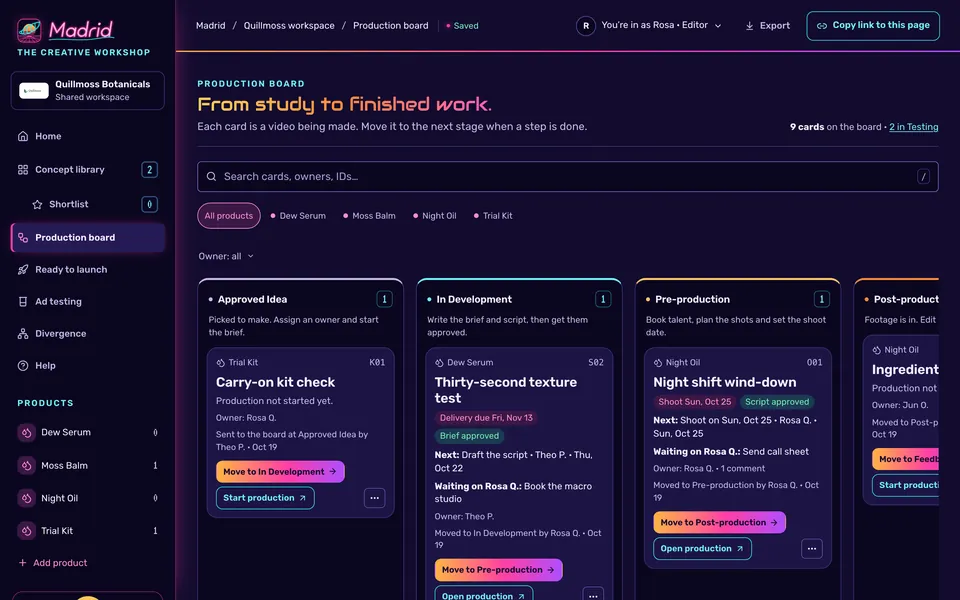
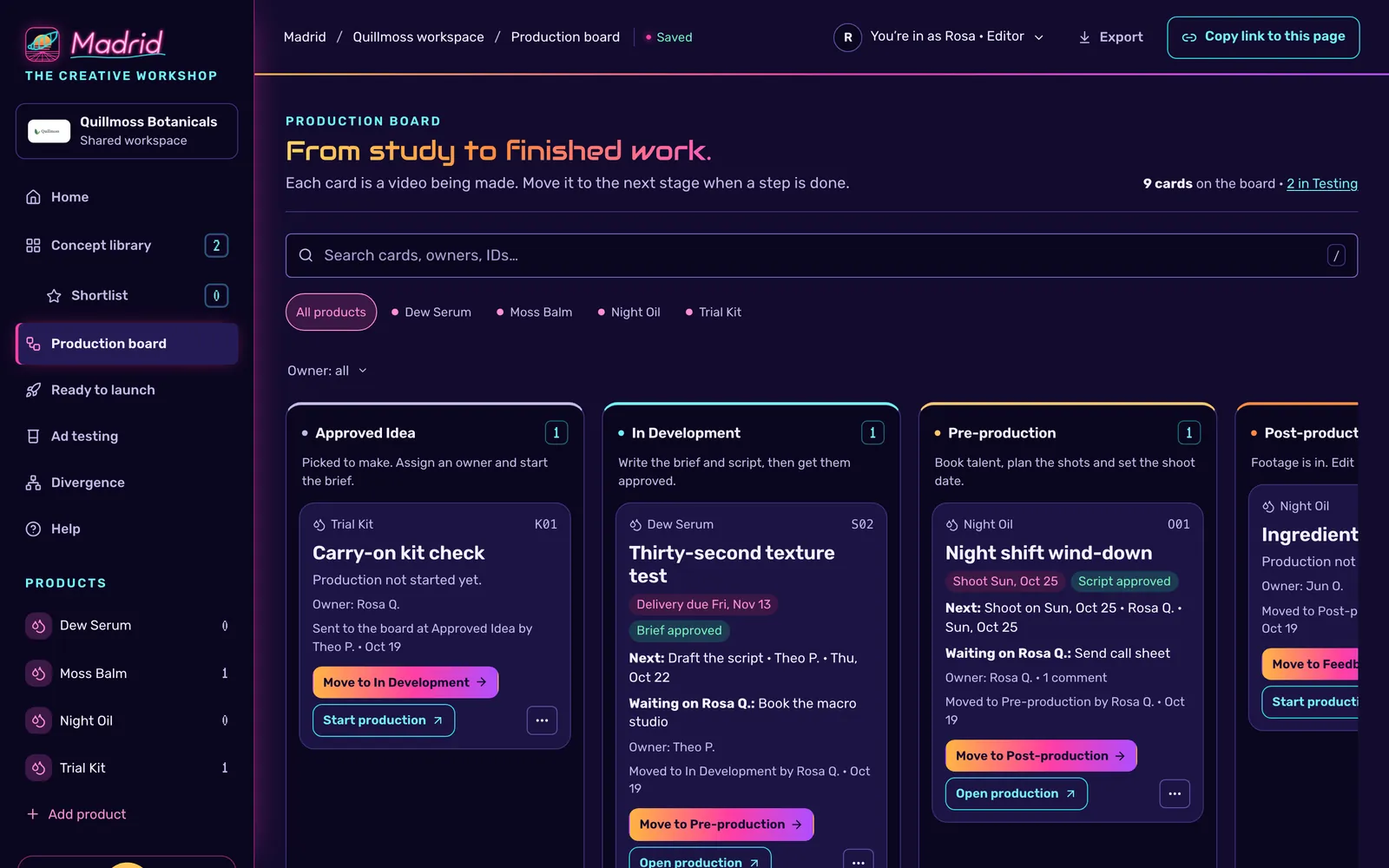
Madrid’s production board in the Neon Grid theme. Cards for a sample brand move through Approved Idea, In Development, Pre-production and Post-production, each showing its next step and who it is waiting on.

The production board in a sample workspace. Quillmoss is a fictional brand, and every name and number in these screens is illustrative.

The loop

One workshop, from first idea to what you learned.

Each step has its own place in Madrid, and a concept carries its history from one to the next.

  1. Idea

    Concept library

    Approvers and editors add concepts. Star the strongest to build a shortlist, and keep the library separate from the work in production.

  2. Concept

    Creative request

    Each concept records its name, creative type, awareness stage, who it’s for, the opening hook and the direction for whoever makes it.

  3. Production

    Production board

    Send a concept to the board when it’s worth making. Its production page holds the brief, script, shot list, shoot day, files, cuts and review notes.

  4. Launch

    Ready to launch

    Approved cuts wait with their specs, launch kit and ad names. Record each launch with its ad IDs so results trace back to the exact cut.

  5. Ad testing

    Ad testing

    Each launched ad is measured against its target. Madrid calls it a Strong performer, a Weak performer or Pending.

  6. Learnings

    Divergence

    See what your tested concepts lean on, find the story you haven’t told yet, and turn it into the next concept.

Production board and plans

From study to finished work.

Each card on the board is a video being made, and it always says what’s next and who it’s waiting on.

Cards move through Approved Idea, In Development, Pre-production, Post-production, Feedback, Final/Approved, Testing and Archive. Every column explains what happens there, so nobody has to.

  • Production plans hold actions with owners, due dates and blockers, plus the people, deliverables with specs, script, shot list and shoot day.
  • Moving work to Final/Approved takes an Approver or the workspace owner, and Madrid records who and when.
  • Start a new production run to refresh a concept without touching the approved work.
  • Print or export a production page for the shoot. Archived cards leave the board after 20 days.
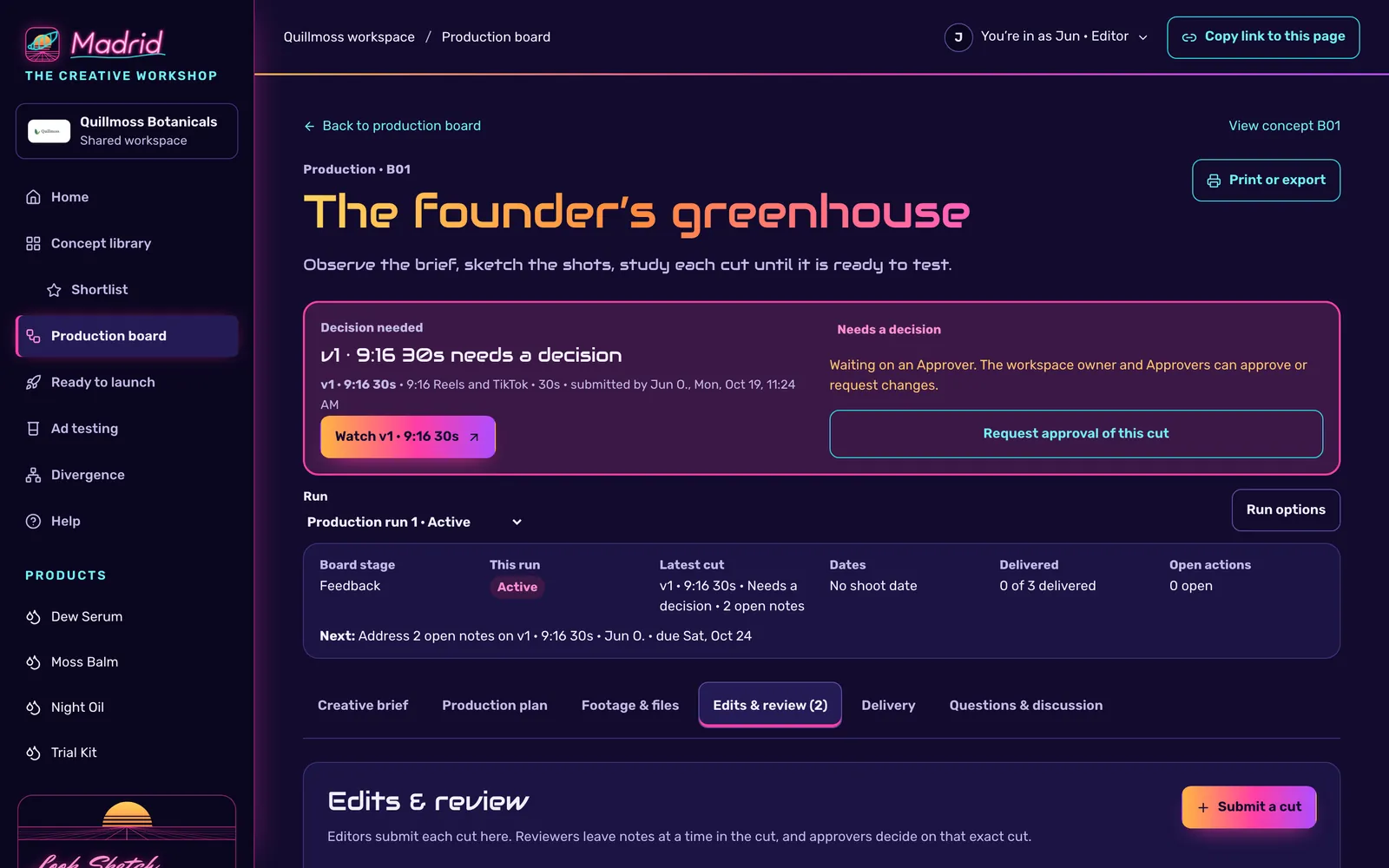
A production page for a sample concept. A banner says the first 9:16 cut needs a decision and is waiting on an Approver, above a summary of the run, the next step and tabs for the brief, plan, files, edits, delivery and discussion.

Edits and approvals

Notes that land at the right second.

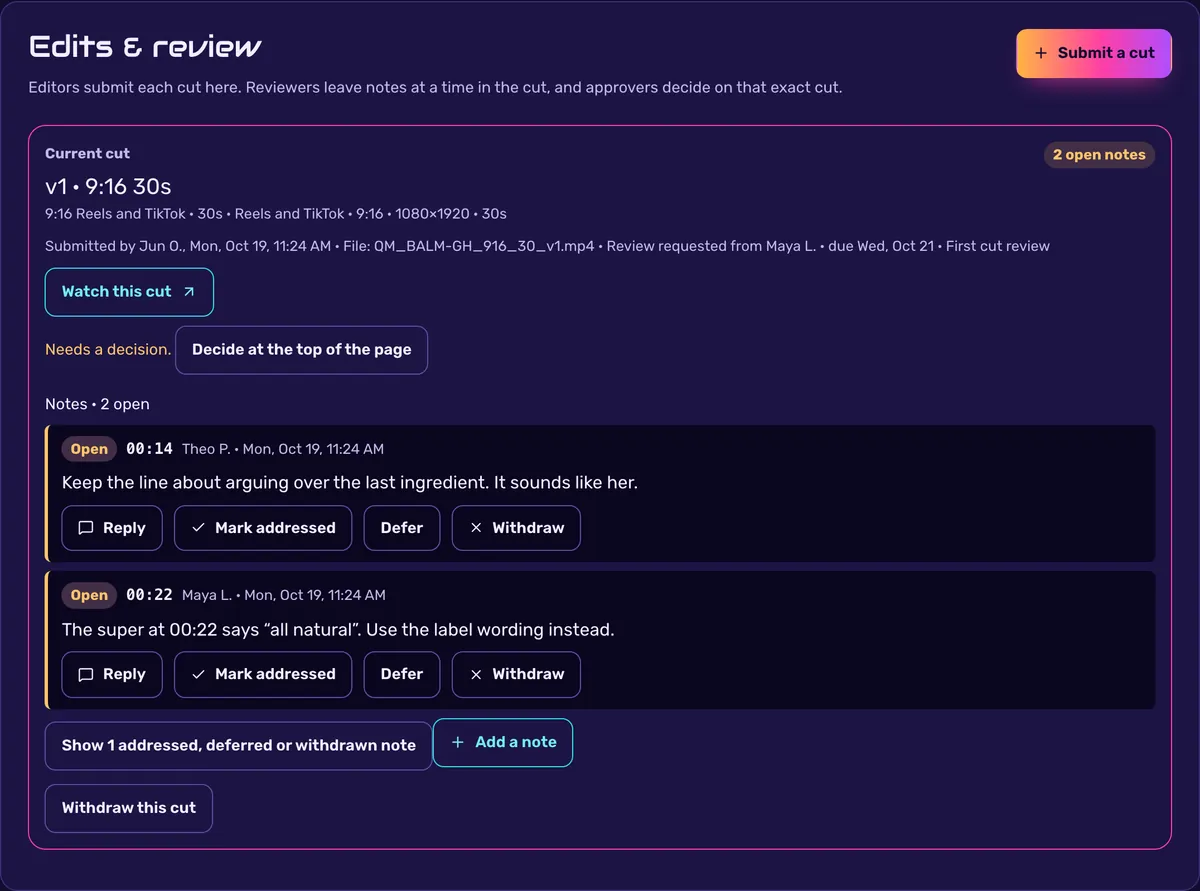
Editors submit each cut under Edits & review. Reviewers leave notes at a time in the cut, and approvers decide on that exact cut.

  • Every note carries its timecode, and editors reply to it, mark it addressed or defer it.
  • Approvers sign off the brief, the script and each cut. An approval belongs to what was approved, so a changed brief or script asks for a fresh one.
  • Home shows each approver what’s waiting on them, with a link straight to the decision.
Edits and review for a sample cut: version 1 of a 9:16 30-second ad, submitted by the editor and waiting on a decision, with two open notes at 00:14 and 00:22 and buttons to reply, mark addressed, defer or withdraw.

Ready to launch

Set each finished study before the world.

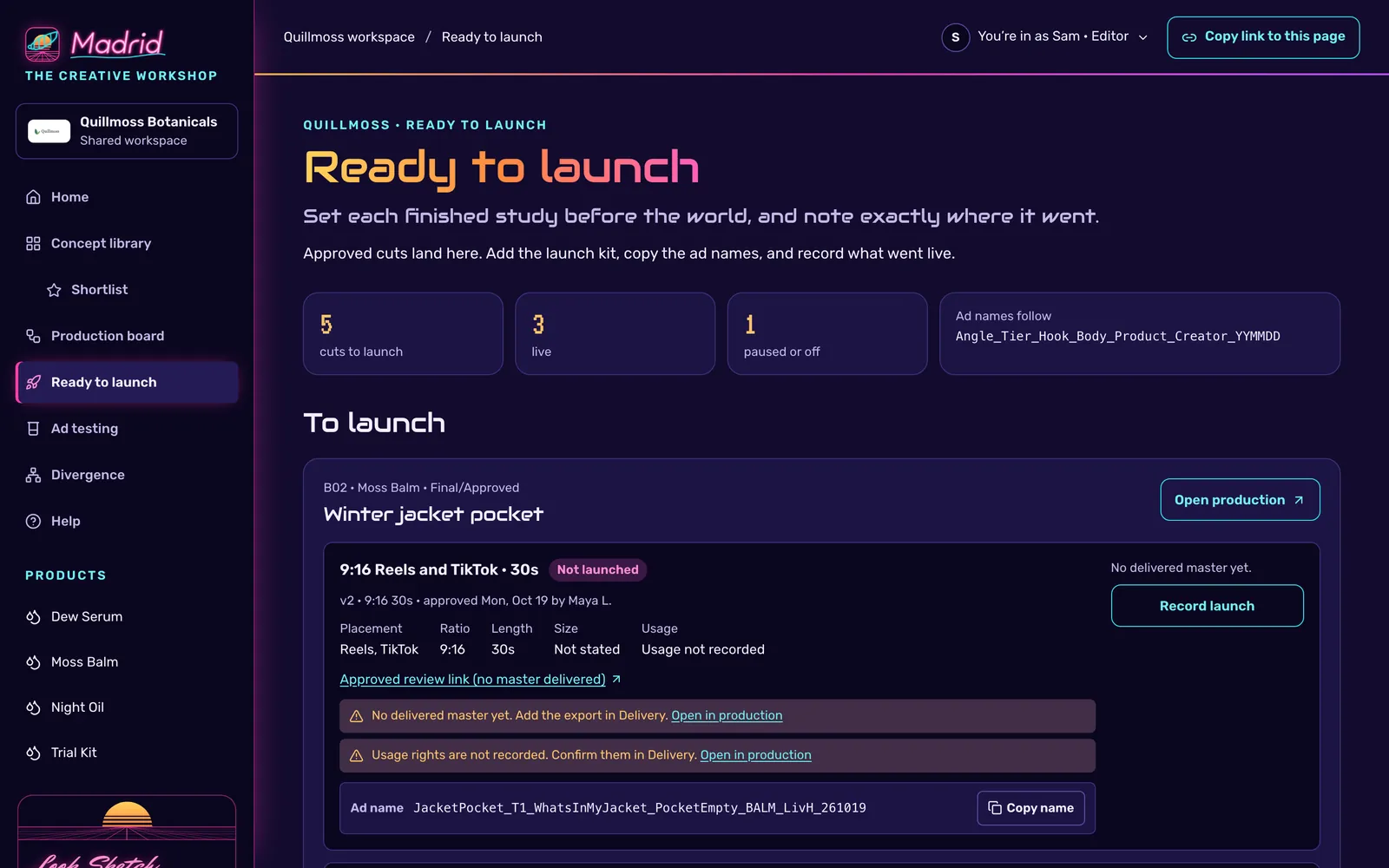
Approved cuts land here with what a media buyer needs: placement, ratio, length, size and usage for every cut.

Ad names come from your naming template. The default is Angle_Tier_Hook_Body_Product_Creator_YYMMDD

  • A launch kit per concept: primary text, headlines, description, call to action, landing page, offer and UTM tags.
  • Warnings when a master isn’t delivered or usage rights aren’t recorded.
  • Record each launch on Meta, TikTok, YouTube or another platform, with its ad IDs, placements and status, so results trace back to the exact cut.
Ready to launch for a sample brand: five cuts to launch, three live and one paused. An approved 9:16 cut lists its placement, ratio, length, size and usage, two warnings, and a generated ad name with a Copy name button.

Ad testing

A call only when the evidence makes one.

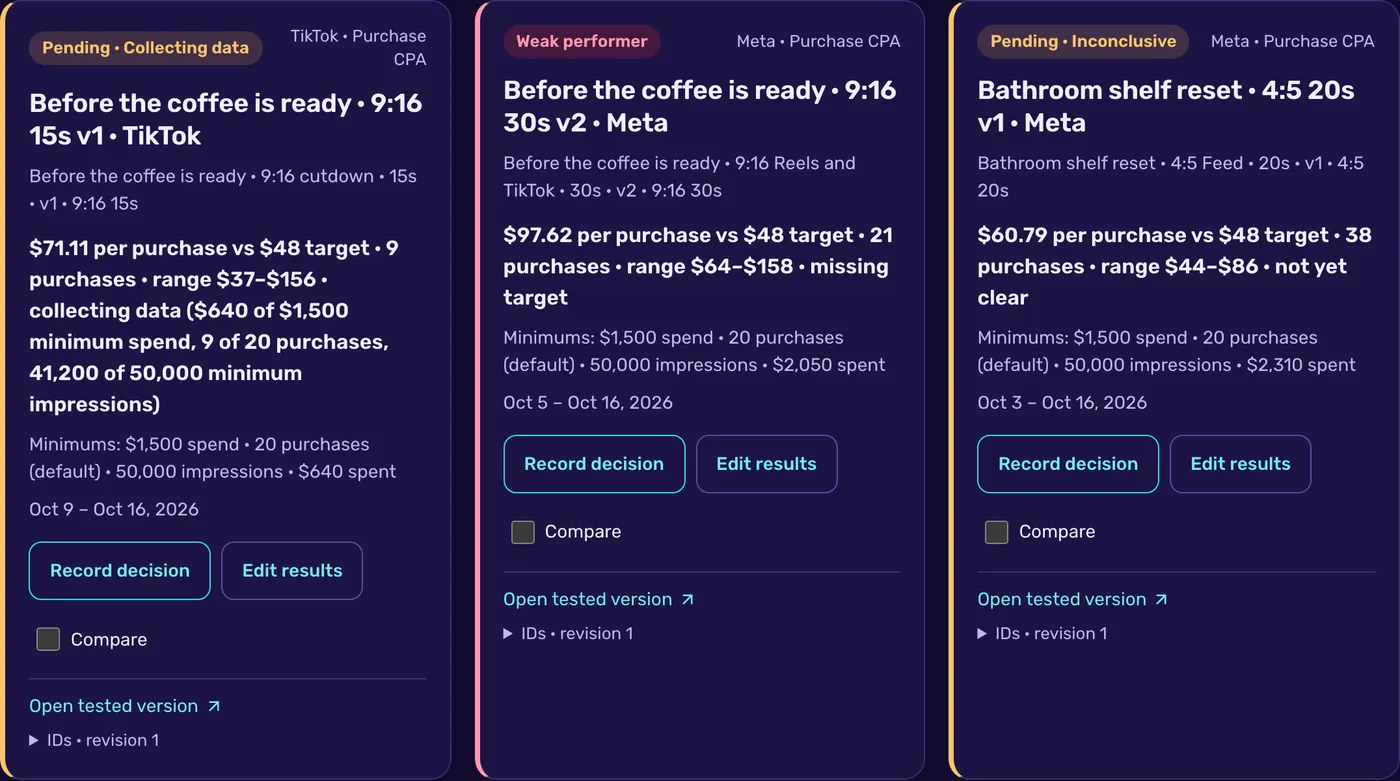
Every test is measured against its target. Madrid builds a 95% range from the purchase count and calls a result only after the minimums are met.

Strong performer

The whole range beats the target.

Weak performer

The whole range misses the target.

Pending

Still collecting data, missing a target, or too close to call.

  • Default minimums are 20 purchases and spend of three times the target CPA. Each workspace can set its own, with targets per product.
  • Track purchase CPA, purchase ROAS, cost per click or CPM, and compare tests side by side.
  • Concepts become eligible for testing when they reach Final/Approved, and test data stays even after a concept is archived.
Three sample test cards. One is Pending, collecting data, with its spend, purchase and impression shortfalls listed. One is a Weak performer at $97.62 per purchase against a $48 target, range $64 to $158. One is Pending and inconclusive at $60.79 per purchase, range $44 to $86.

Divergence

Make room for a different idea.

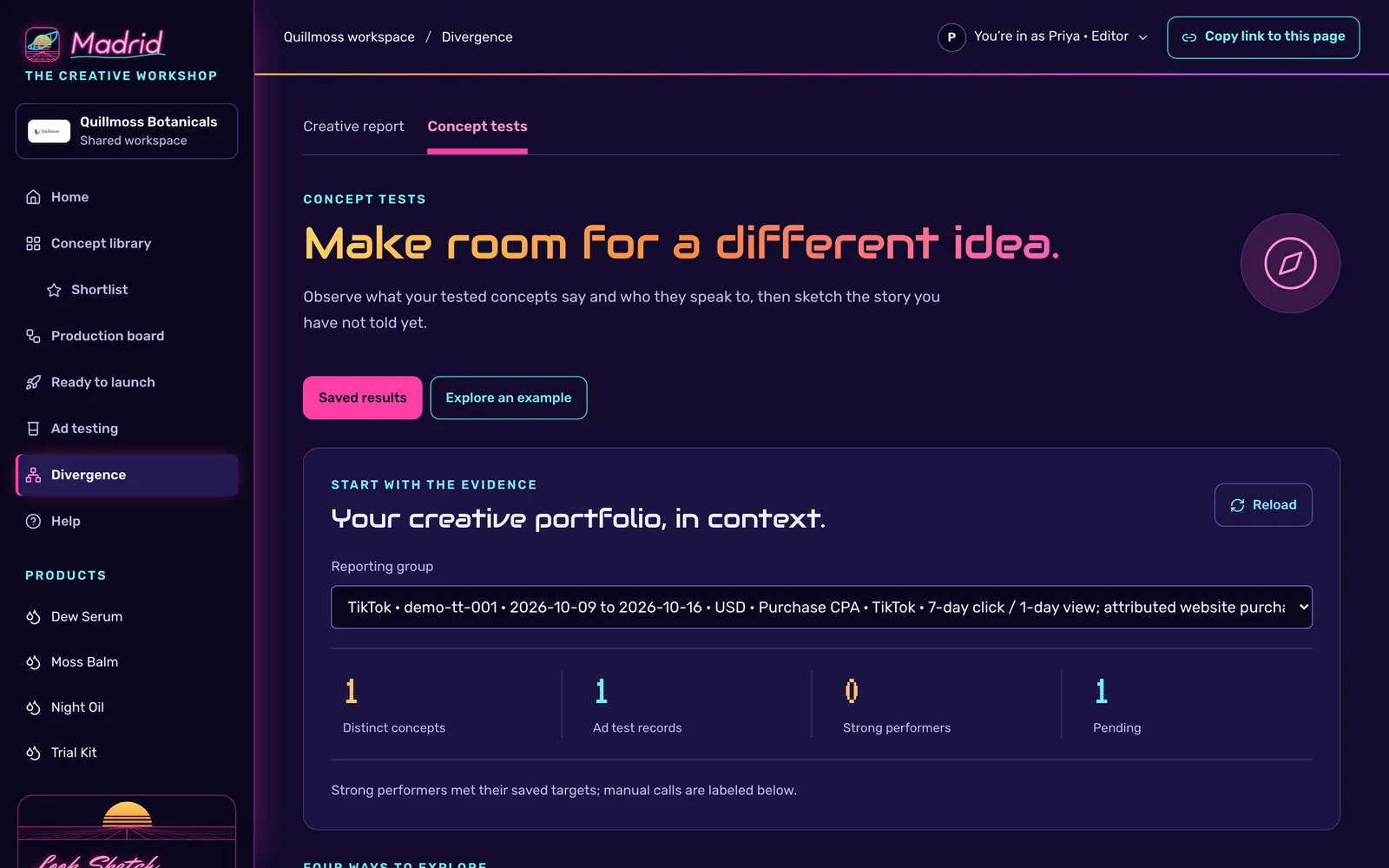
Divergence reads your tested concepts within one comparable reporting group and shows what they lean on and who they speak to.

  • Comparisons stay inside one platform, account, date range, currency, goal and attribution setting.
  • See the hooks, audiences and points of view you haven’t tested yet.
  • Turn a direction worth trying into a new concept in the library.
Divergence for a sample brand, headed Make room for a different idea, with a reporting group selected and counts of concepts, test records, strong performers and pending results.

What each person gets

Everyone opens on what needs them.

A personal link lands on Home, and Home is different for each person. It lists their decisions, tasks, reviews and results, so nobody digs through the whole library to find their part.

Founders and approvers

Works in Home

  • What’s waiting on you: briefs, scripts and cuts to approve.
  • The week at a glance, and a one-click meeting agenda.
  • Star the ideas you want made.

Creative

Works in the concept library

  • Add concepts with the creative request form.
  • Send the ones worth making to the production board.
  • Write the brief and script on the production page.

Production

Works on the production board

  • Tasks, shoots and notes in one list.
  • Plans with owners, due dates, blockers and dependencies.
  • Shoot day, deliverables, usage rights and delivery in one place.

Editors on a link

Works in Edits & review

  • A personal link, with no account to set up.
  • Submit each cut, then see every note at its timecode.
  • Mark notes addressed and send the next version.

Media buyers

Works in Ready to launch

  • Approved cuts that aren’t live yet, with their specs.
  • Launch kits and ad names ready to copy.
  • Launches recorded with ad IDs, placements and status.

Analysts

Works in Ad testing

  • Every test against its target, with ranges and minimums.
  • Results ready for a call, listed on Home.
  • Divergence to suggest what to test next, and CSV downloads.
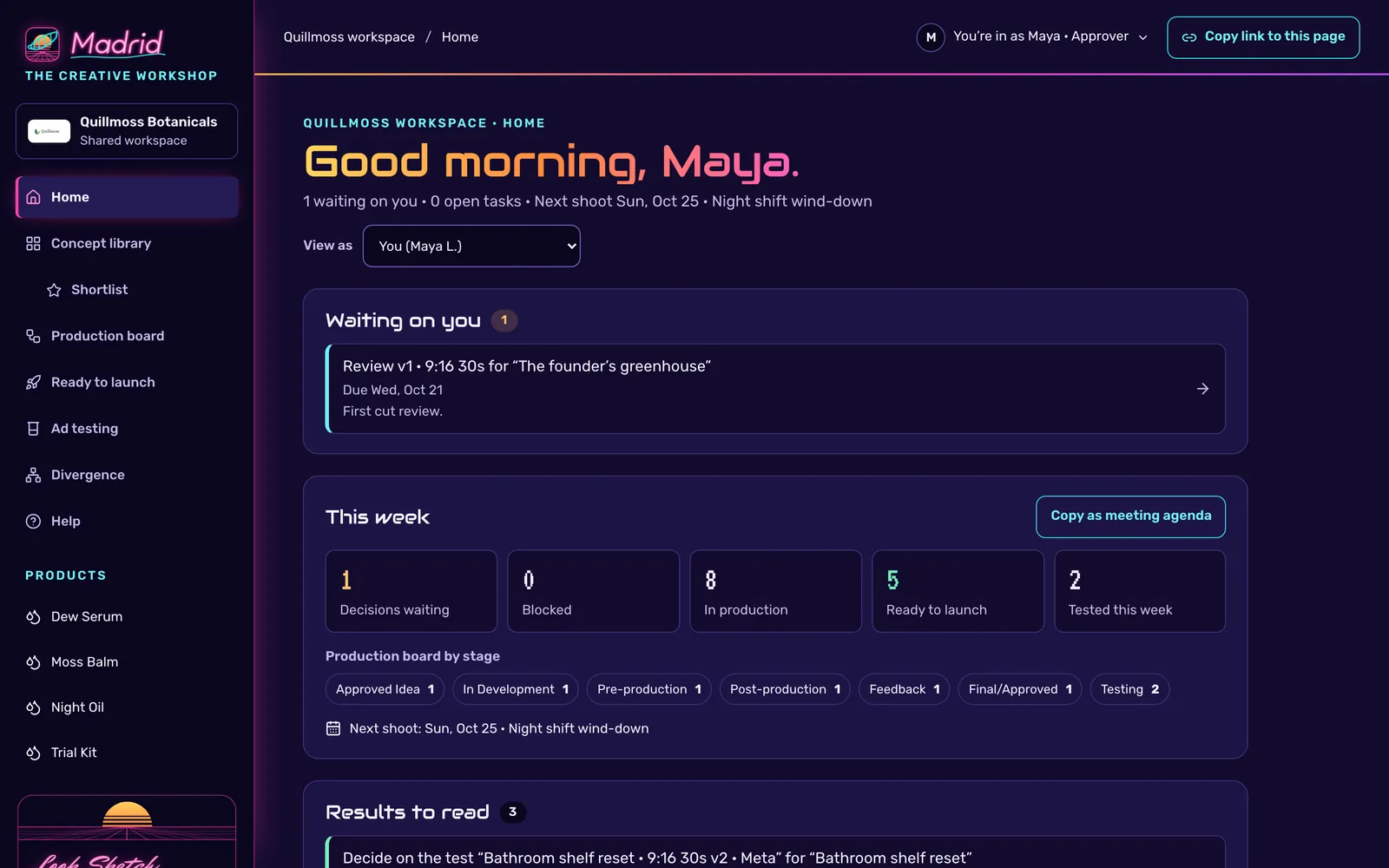
Home for a sample approver. It greets her by name, lists one cut waiting on her review with its due date, and summarizes the week: decisions waiting, blocked work, cards in production, cuts ready to launch and tests run this week.
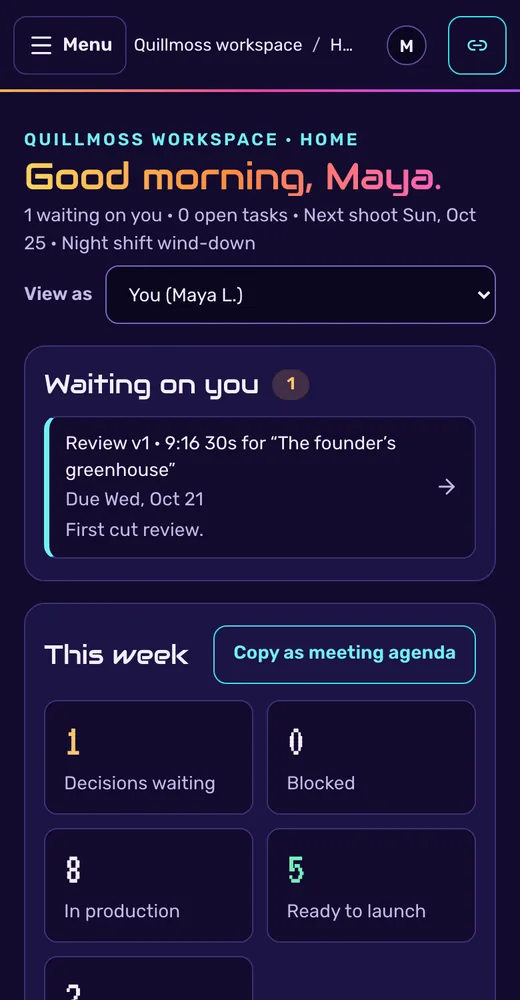
The same Home on a phone, with the cut waiting on her review and the week’s counts.

Home for an approver in the sample workspace, on a laptop and on a phone: one cut waiting on her, and the week at a glance.

Personal invite links

Know whose hand made each mark.

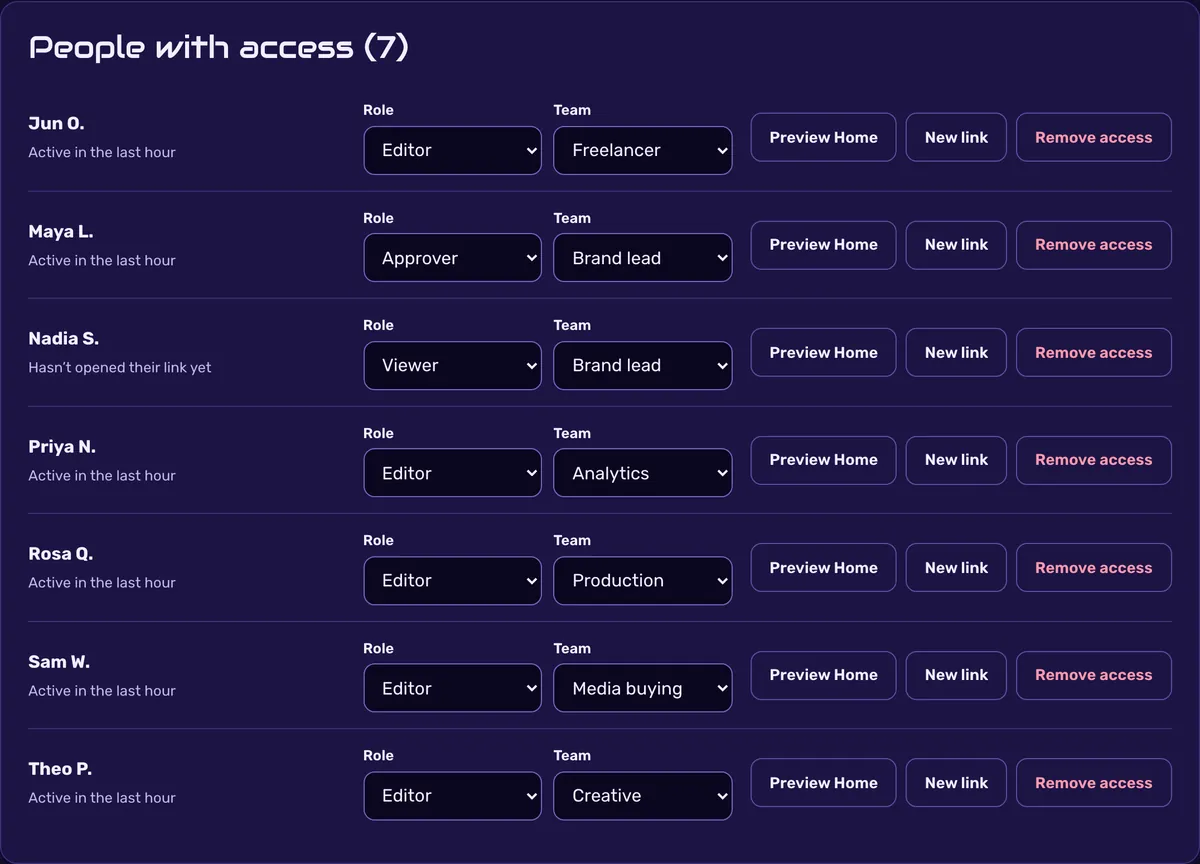
The workspace owner gives each person their own link with a role and a team. Whatever they approve, change or say is recorded under their name.

Approver
Approves briefs, scripts and cuts, and moves work to Final/Approved. Can also edit.
Editor
Creates and edits concepts, production plans, cuts and tests. Can’t approve.
Viewer
Views everything, comments on concepts and leaves notes on cuts.
  • Brand lead
  • Creative
  • Production
  • Media buying
  • Analytics
  • Agency
  • Freelancer

The owner can preview anyone’s Home, change a role, issue a new link or remove access at any time. Madrid doesn’t send email; you share each link yourself.

People with access in a sample workspace: seven invited people, each with a role (Approver, Editor or Viewer), a team, and buttons to preview their Home, issue a new link or remove access.

Five themes

Neon Grid by default. Four more when you want a change.

Each person picks a theme for their own browser, and it applies right away. The work stays exactly where it was.

  • The production board in Neon Grid.
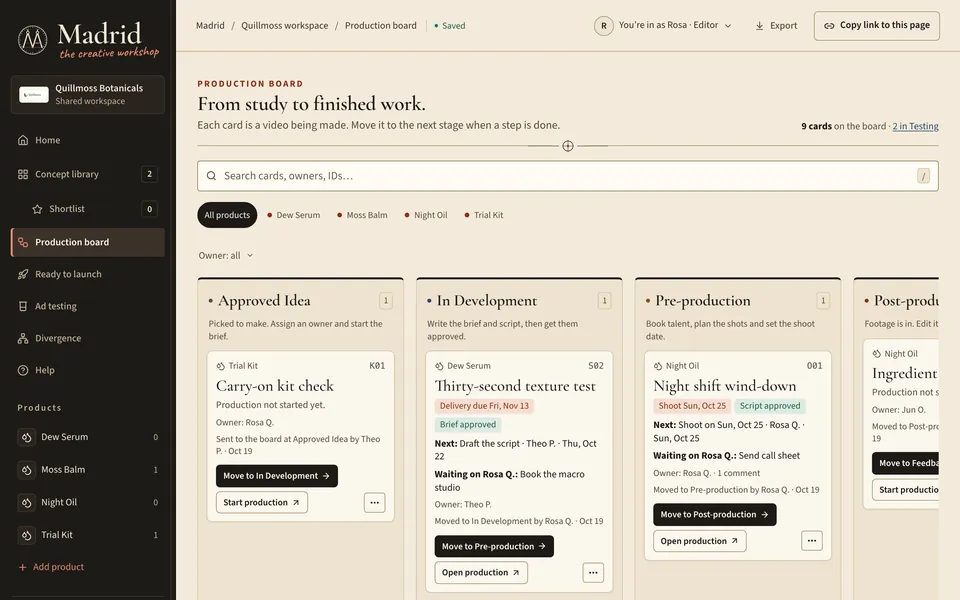
    Neon Grid DefaultRetro 80s neon on deep indigo.
  • The production board in Codex Madrid.
    Codex MadridLeonardo’s notebook, parchment and red chalk.
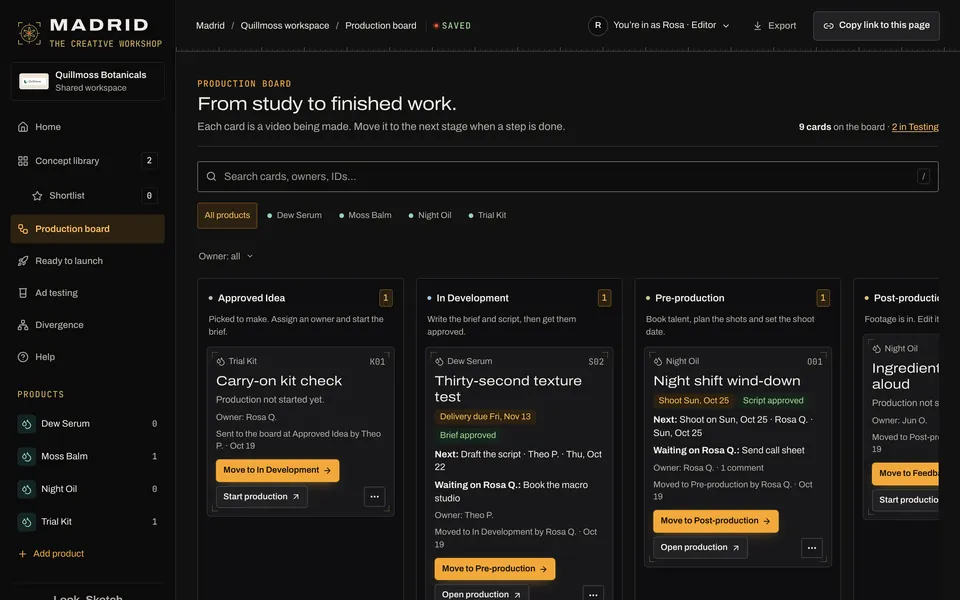
  • The production board in Night Shoot.
    Night ShootA dark studio lit by film-light amber.
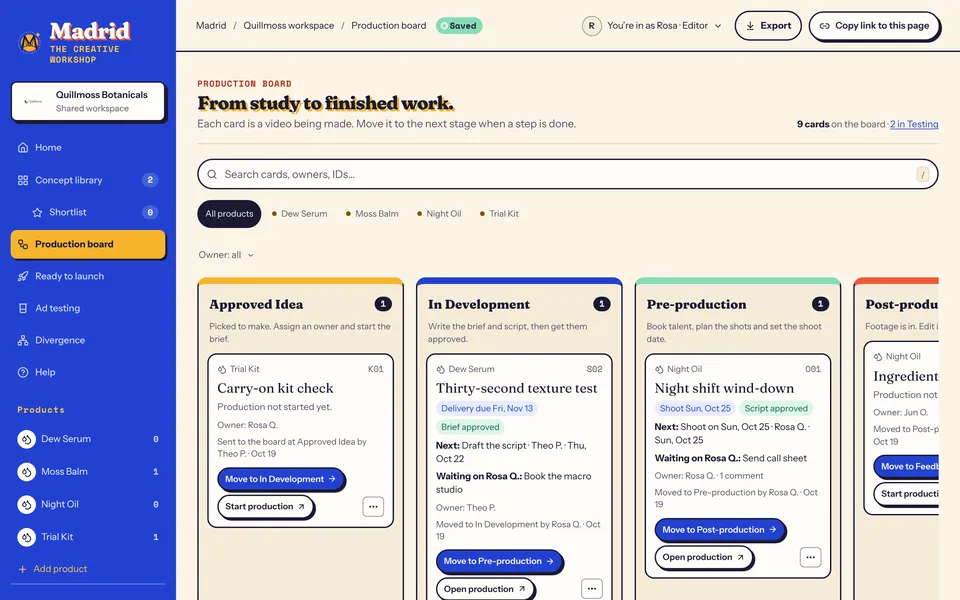
  • The production board in Renaissance Pop.
    Renaissance PopPoster pigments on cream.
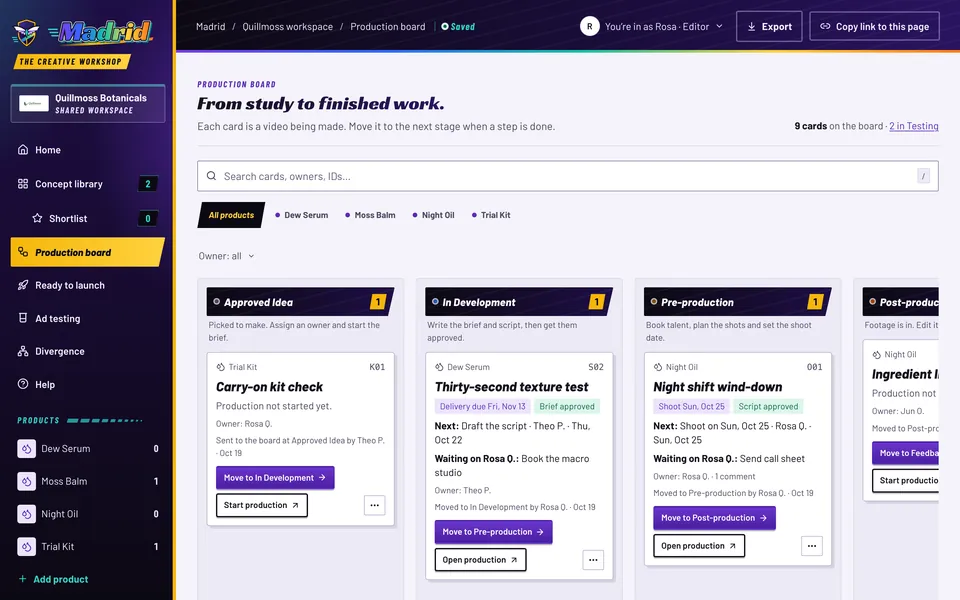
  • The production board in Expansion Season.
    Expansion SeasonLate-90s sports energy in purple and teal.
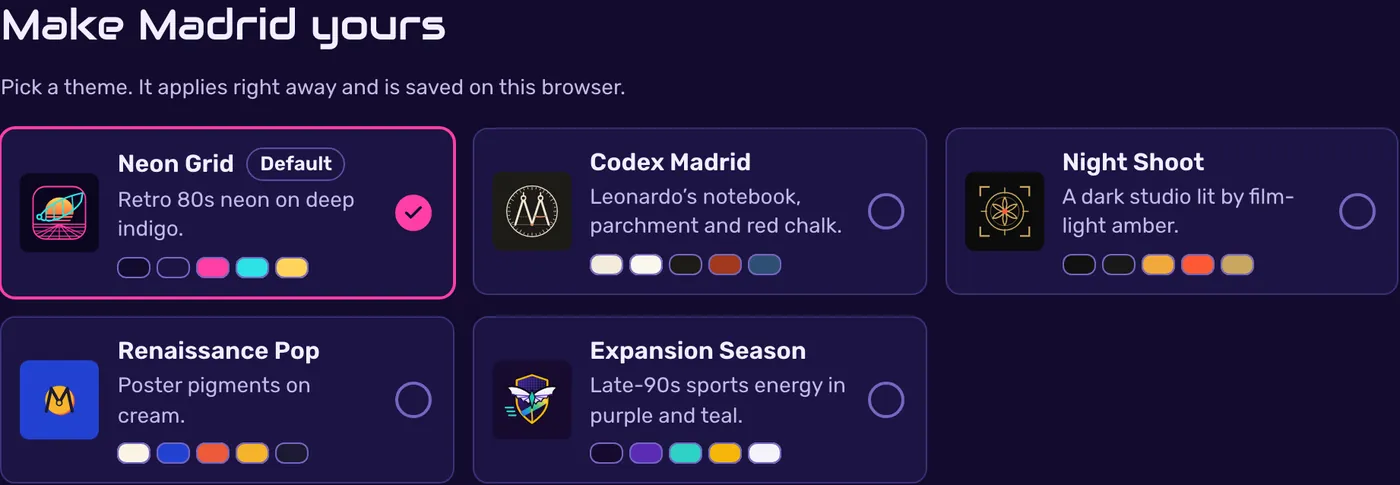
Madrid’s theme picker, titled Make Madrid yours, with Neon Grid selected as the default and Codex Madrid, Night Shoot, Renaissance Pop and Expansion Season beside it.

Who it’s for

Built for brands doing $5M to $500M a year.

Madrid fits brands that make video ads every month and need creative, production, media buying and analytics to work from the same record.

With an in-house creative team

Madrid ties your creative, production, media and analytics people together. A concept, its cuts, its launches and its results stay in one place, and approvals happen where the work is.

Without one

Pixel & Shelf, freelancers, UGC creators or a production company work inside your workspace on personal links. Your team approves and follows along without chasing files and threads.

Your brand inside

Your name, logo and products, with product codes for ad names, set in Workspace settings.

Your targets

Target CPA per product and your own evidence minimums, set once and used by every new test.

Your own workspace

Each brand gets its own Madrid deployment and its own database.

Pricing

Madrid for your brand

Starts at $500/month

Every engagement is scoped to your brand.

Talk to us about Madrid

Tell us about your team and how much video you make, and we’ll scope it with you.

What we scope together

  • Who needs access, and in which roles.
  • How many concepts and cuts you make each month.
  • The ad platforms you launch and test on.
  • How much planning, production or analysis you want from Pixel & Shelf.

Questions

Frequently asked questions

Do my teammates need accounts?

No. The workspace owner creates a personal link for each person, with a role and a team. Opening the link brings them straight into the workspace, and everything they do is recorded under their name. Links can be replaced or removed at any time.

Does Madrid place or change our ads?

No. Your media buyer launches ads in each ad platform as usual, then records the launch and its ad IDs in Madrid. Results are added in Ad testing, where each test is judged against its target.

Where do our video files live?

Wherever they live today. Madrid keeps links to your raw footage, review copies and delivered masters, such as folders in Google Drive or review links in Frame.io, beside the plan and the decisions about them.

Which ad platforms does it work with?

Launches can be recorded for Meta, TikTok, YouTube or any other platform. Tests can track purchase CPA, purchase ROAS, cost per click or CPM.

How does Madrid decide what’s working?

Each test has a target and minimums for spend, impressions and purchases. Madrid builds a 95% range from the purchase count. It calls a Strong performer when the whole range beats the target and a Weak performer when the whole range misses it. Everything else stays Pending until the evidence is clear, and your team can still record a manual call with a reason.

Can we use our own ad naming convention?

Yes. Ready to launch builds ad names from a template. The default is Angle_Tier_Hook_Body_Product_Creator_YYMMDD, and you can change it for your workspace.

Does each brand get its own workspace?

Yes. Each brand gets its own Madrid deployment and its own database.

Can freelancers, creators and agencies work in it?

Yes. Give each of them a personal link with the role they need. An editor can submit cuts and answer notes, and a viewer can follow along and comment without changing anything.

What does it cost?

Madrid starts at $500/month. Every engagement is scoped to your brand: your team, your volume of video and how much help you want from Pixel & Shelf. Tell us about your team and we’ll put a price on it.

Bring your next idea to Madrid.

Tell us about your brand and your team. We’ll show you Madrid and scope a workspace that fits.

Talk to us about Madrid